PitchStudio
Turn Your Presentation Into a Video That Can Speak for You.
PitchStudio transforms the business presentation you already have into a polished, narrated video, without asking you to become a video producer.
Start with your sales deck, proposal, executive presentation, or founder pitch. Build or refine the narrative. Choose how it sounds and looks. Create the finished video. Then share a presentation that carries more of your explanation with it.
AI video creation built for business presentations, and especially for sales.
- 1PowerPoint
- 2PitchStudio
- 3Narrated video
What is PitchStudio?
PitchStudio is an AI-assisted video creation platform for turning existing business presentations into narrated videos.
It is designed for situations where the presentation needs to keep explaining, persuading, or selling after the presenter is no longer there.
You begin with the slides and the business story you already have. PitchStudio gives you tools to refine the narrative, voice, pronunciation, captions, pacing, and presentation before the finished video is created.
For a sales team, the deck can become a shareable version of the sales story, not only an attachment.
Not every video needs a video production studio.
Entertainment, social content, and a highly cinematic campaign may belong in a general-purpose video editor. PitchStudio is built for business presentations: sales presentations, proposals, executive briefings, product and solution presentations, consulting presentations, founder pitch books, investor presentations, and internal business presentations.
The slides already contain much of the visual story. PitchStudio helps add the narrative around them.
You don't start with a blank video timeline. You start with the presentation you already use.
Your slides aren't the whole presentation.
A slide might hold three bullets, a diagram, a chart, a product screenshot, or a financial model. The presenter explains what the audience should notice: why it matters, what the chart means, why it is different, what the buyer should remember, and what happens next. That explanation is often where the value lives. When the file is forwarded, the slides remain and the explanation may not. PitchStudio brings those two pieces back together.
From presentation to finished video in one workflow.
PitchMaker is the first pass: the deck, the voice, the script, Script Coach, a recorded introduction, audio, subtitles, the buyer button, and who it is for. You generate and review in PitchFinisher, then share the link and file it in Prospect Files. PitchPolisher is the later pass. A change you save is used the next time you generate.
- 1. PitchMaker
- 2. Generate
- 3. PitchFinisher
- 4. Share
- 5. PitchPolisher
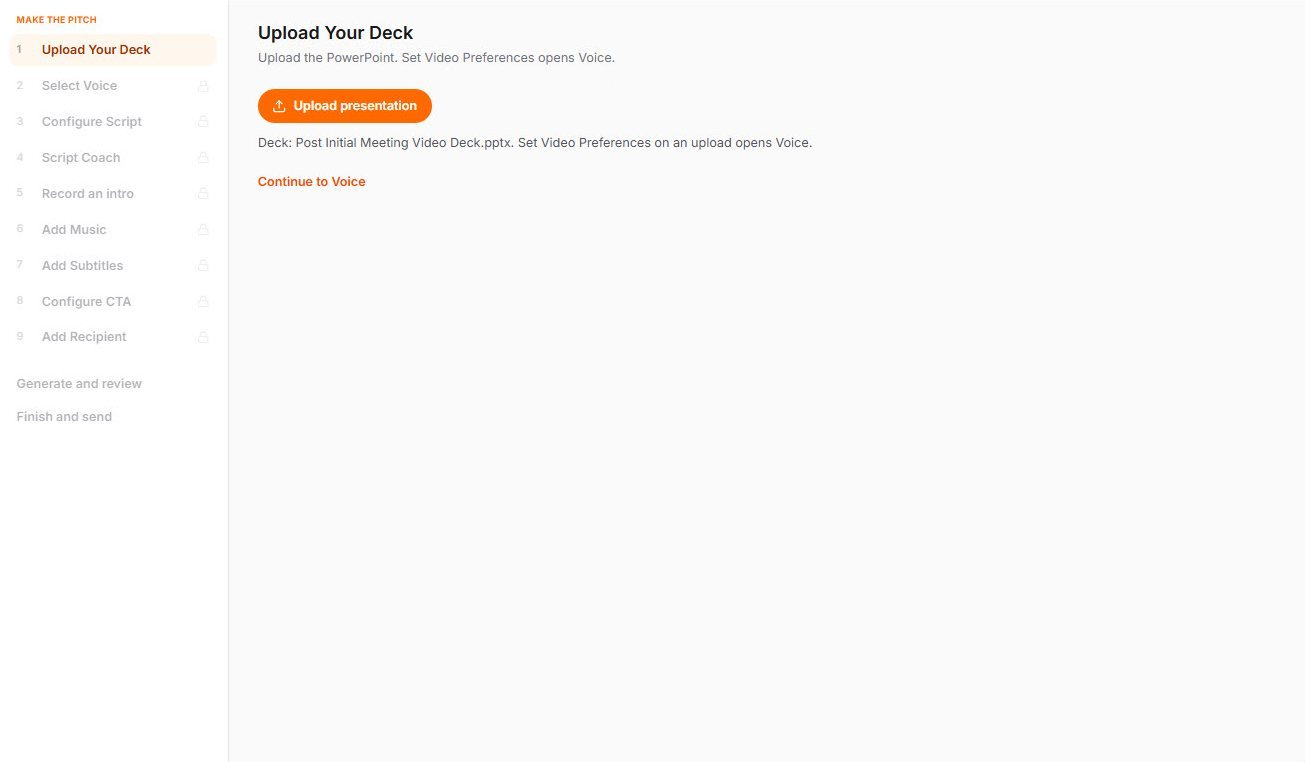
Create
Start with the presentation you already have.
Upload the slide deck you already use. If it is not a PowerPoint file, save it as PowerPoint first. The presentation becomes the foundation of the video. You are not rebuilding the story on a blank timeline.
Polish
Add the story behind the slides.
Use a script you already have, or work with AI-assisted scripting to develop the narrative. You stay responsible for the message. AI does not invent a pitch and send it on its own.
Script Coach can review the narrative and suggest changes. You decide whether to use them. The current script does not change until you accept a suggestion.
AI can help improve the story. You decide what gets said.
Refine the script slide by slide.
ScriptPolisher is the detailed pass: edit the narration for a slide, replace words, set pronunciation and emphasis, and review pacing. A business video should not sound like someone reading the bullets aloud.
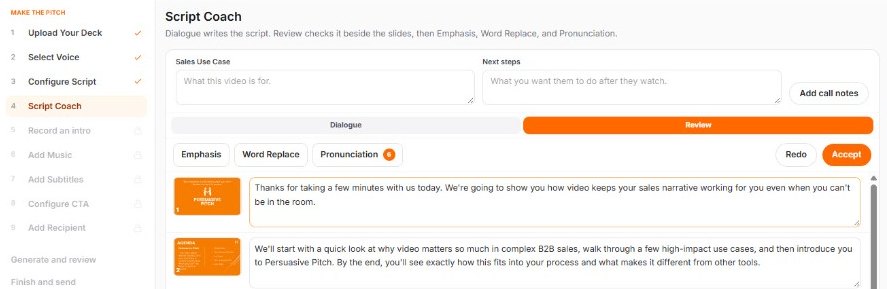
Make the presentation sound like a presentation.
Choose a professional voice and how it is delivered: talking speed, delivery, voice level, and optional music. A custom voice is available when the account has one. Not every plan includes every voice option.
Professional narration without recording every slide yourself.
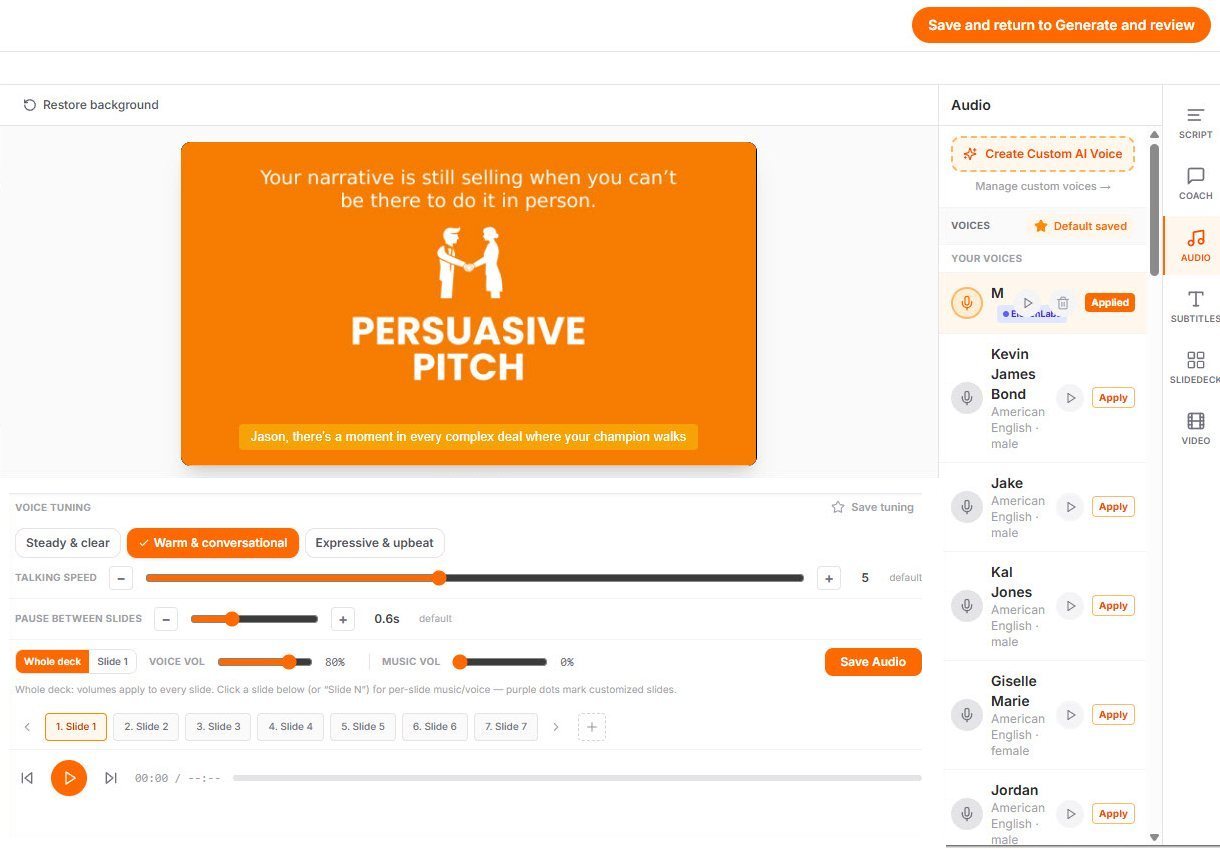
Business language doesn't always sound the way it is spelled.
Company names, acronyms, product names, people's names, and technical terms can be pronounced the way you intend. The captions stay in normal spelling. Emphasis can make an important word sound intentional without making the caption look like a phonetic spelling.
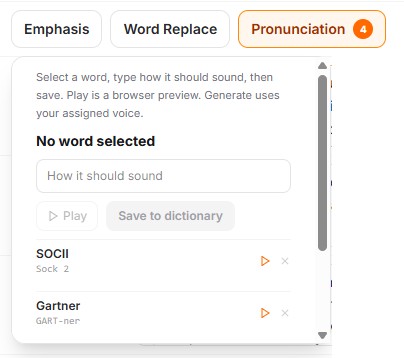
Make the message easier to follow.
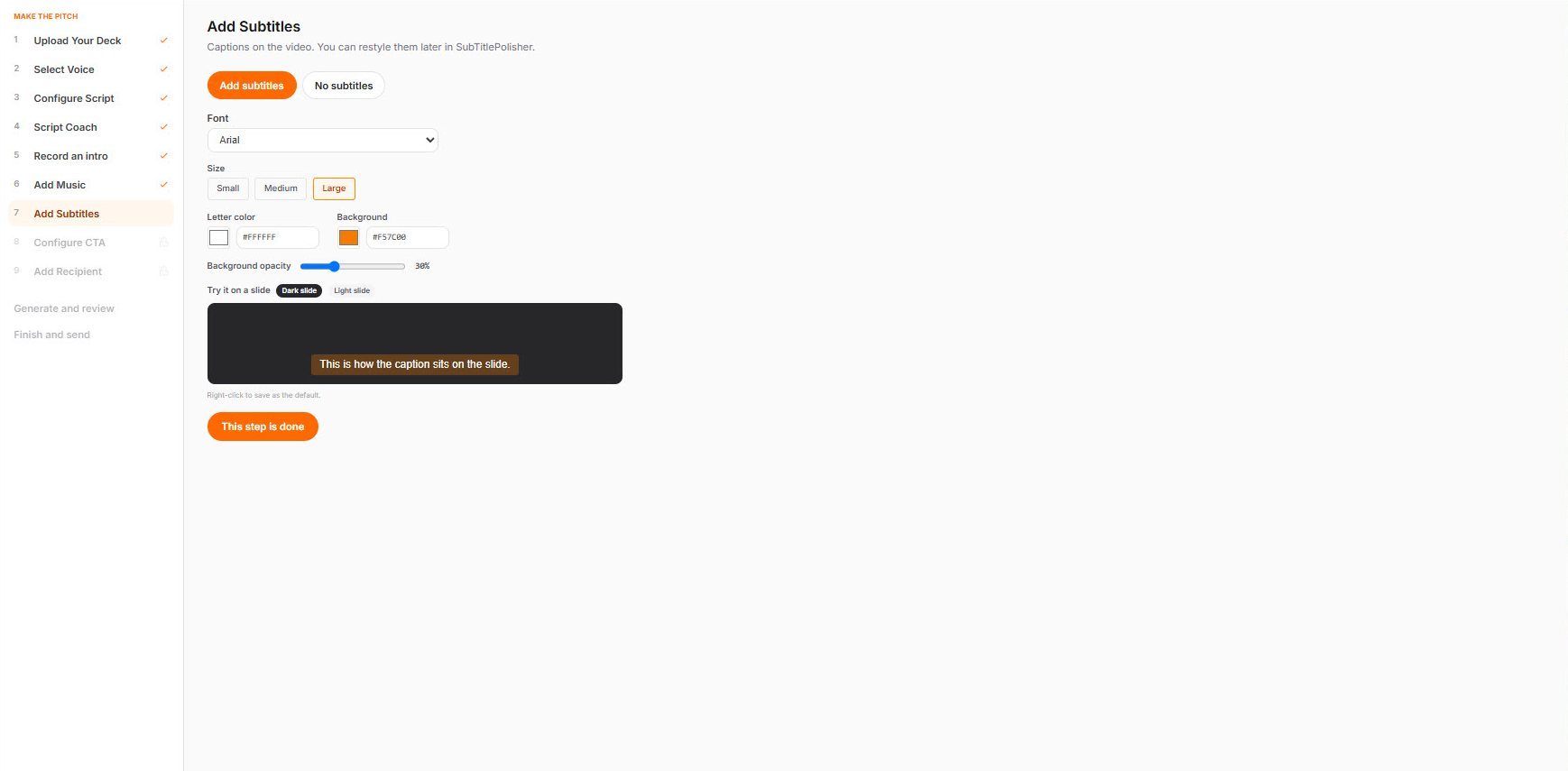
SubTitlePolisher sets how captions look: font, size, text color, background, opacity, and brand colors. The aim is a presentation that stays clear, not decoration.
Put yourself at the beginning. Let AI help carry the rest.
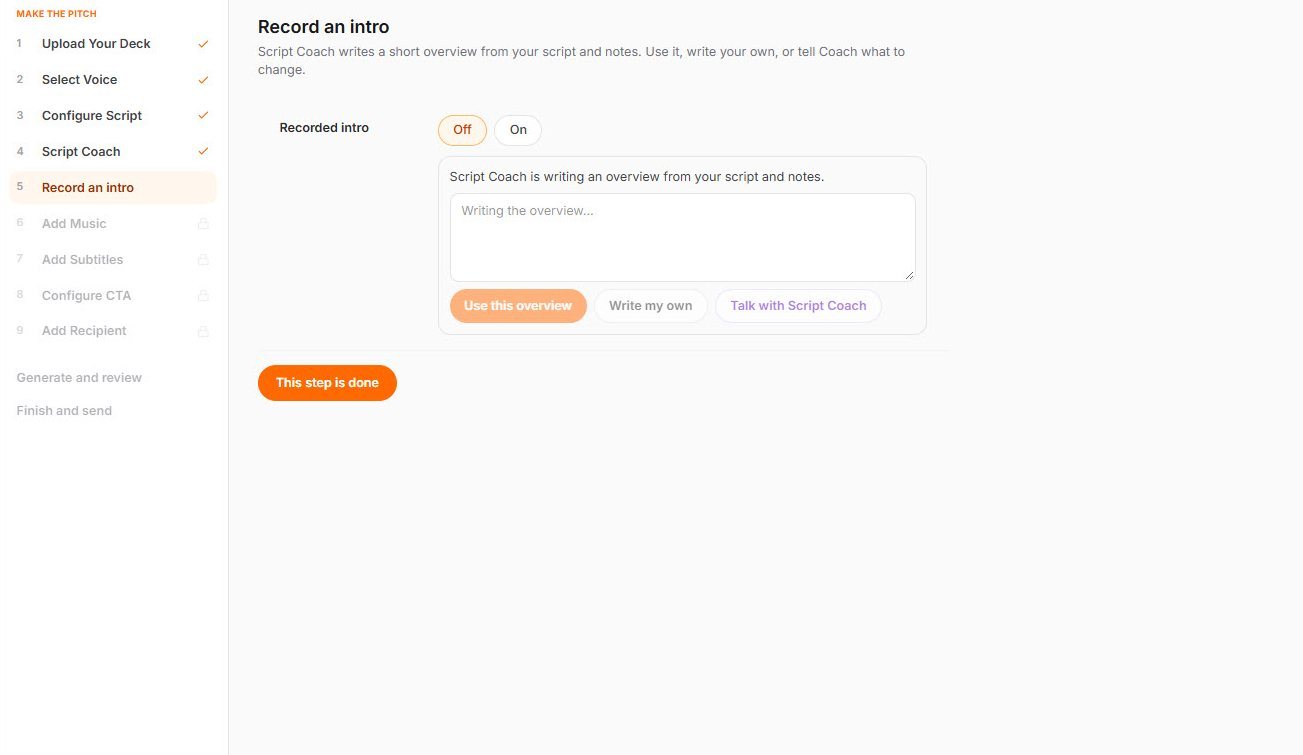
Some presentations benefit from a face. Others do not. A recorded intro can open the pitch in your own voice and face, then the slides continue with a consistent narration.
That introduction is a recording of you. A new take replaces the previous one on that pitch. It is not an AI presenter.
Your face can open it. The narration carries the slides.
Keep the presentation itself flexible.
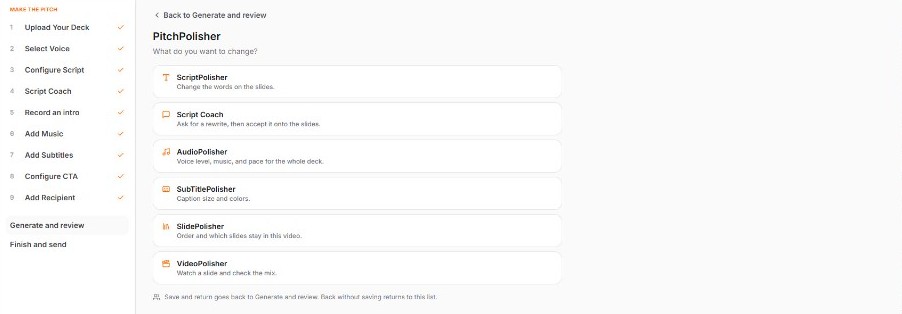
SlidePolisher works with the sequence as the video is built: add slides, bring in selected slides from another deck, move slides, and remove slides. The presentation stays the structure of the video. PowerPoint builds and animations are not carried into the video.
Review how the story moves.
VideoPolisher is where you review the sequence and the mix before you finish. Edits you save are used the next time the video is generated. The current video does not change while you are still adjusting it.
Review it before it leaves your hands.
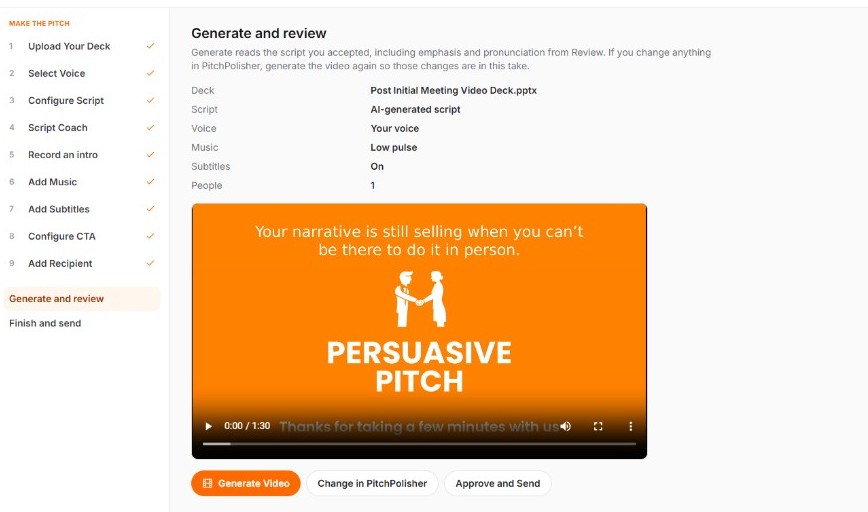
PitchFinisher is the review of this video. Play the take, then share or file it. If something needs to change, go back to the PitchStudio tool, adjust it, and generate a new version.
AI helps create the presentation. The seller still signs off on what the buyer receives.
Keep finished sales presentations organized around the account.
Prospect Files keeps finished presentations by prospect company, the way a seller thinks about the work. It is a library of pitches, not a CRM. Builder Library is where the starting decks live. Free and Individual keep a personal library. A sales team keeps a company library so people can start from the same approved decks.
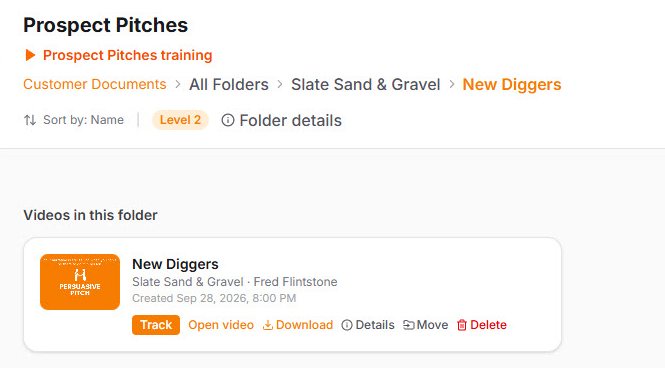
Don't just send the pitch. See how it is being engaged with.
When a tracked link is used, PitchTracker can show whether the presentation was opened, how far it was watched, whether the viewer returned, and whether an available next step was clicked. Those signals can inform follow-up. They are not buyer intent, purchase probability, or a prediction that the deal will close.
Read the PitchTracker page →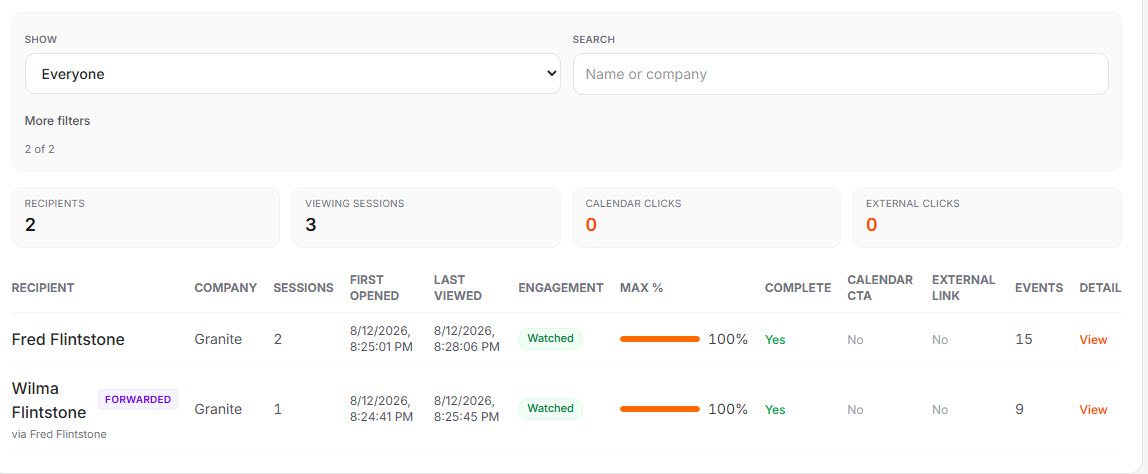
Video creation is only the beginning.
A generic video tool answers "How do I make a video?" PitchStudio is built around a more specific question: how do I make this presentation useful when I am not there to deliver it?
- Sales professionals — give a champion something better than a deck to forward.
- Sales leaders — extend the team's sales conversations beyond the meeting.
- Founders and CEOs — let a pitch book travel farther than you can.
The video is the medium. The business explanation is the point.
Why does keeping the explanation matter?
Business presentations move through organizations. More people enter the conversation. The original presenter may not be there. Context can be compressed, the message can be reinterpreted, and the perceived business value can change. Persuasive Pitch calls that broader problem Value Decay.
Learn About Value Decay →The tools, once the job is clear
- ScriptPolisherRefine the narrative behind each slide.
- AudioPolisherControl voice and delivery.
- SubTitlePolisherKeep captions clear.
- SlidePolisherManage the slide sequence.
- VideoPolisherReview how the story moves.
- PitchFinisherReview the finished pitch before it is shared.
- Prospect FilesFile completed pitches by prospect.
- PitchTrackerSee engagement after a tracked share.
Built for business communication.
PitchStudio fits when a presentation already holds the visual story and the explanation needs to travel with it.
- Sales presentations
- Business presentations
- Proposals
- Executive briefings
- Consulting presentations
- Founder pitches
- Investor presentations
- Stakeholder follow-up
A different job
A general-purpose video editor may be a better fit for:
- Cinematic video production
- Entertainment content
- Social-first creative editing
- Complex visual effects
- General consumer video projects
Questions people ask
What is PitchStudio?
PitchStudio is an AI-assisted business video creation platform from Persuasive Pitch. It helps users turn existing presentations into narrated videos, with tools to refine the script, voice, pronunciation, captions, pacing, and presentation.
Can PitchStudio turn a PowerPoint into a video?
Yes. Upload the slide deck you already use. PitchStudio builds the narration and the video around those slides. If it is not a PowerPoint file, save it as PowerPoint first.
Is PitchStudio an AI video creator?
Yes. PitchStudio uses AI-assisted tools in the video workflow. It is built for business and sales presentations, not for general consumer or social video.
Is PitchStudio only for sales?
Sales is the primary use, especially complex B2B sales. PitchStudio also supports proposals, executive briefings, consulting presentations, and founder pitch books.
Does AI write the presentation for me?
AI can help develop and improve the script. The presenter reviews suggested changes and decides what gets said.
Can I use my own script?
Yes. PitchStudio can use a script you provide, or an AI-assisted draft you then edit.
Can I control pronunciation?
Yes. PitchStudio can adjust how names, acronyms, product terms, and other words are spoken, while the captions stay readable.
Can PitchStudio add captions?
Yes. You can set the caption font, size, colors, and background so the presentation stays clear.
Can I put myself on screen?
A recorded introduction can open the pitch in your own voice and face. The slides that follow use the narration you set. That recording is you. It is not an AI presenter, and it is not placed on later slides.
Can I see whether someone watched my sales presentation?
A tracked share link can show PitchTracker signals such as opens, how far someone watched, return visits, and clicks on an available next step. Those are engagement signals, not proof of intent.
Does PitchStudio replace live sales meetings?
No. PitchStudio extends the presentation after or around a live conversation. It does not replace discovery, demos, negotiation, or the salesperson.
Ideas for better business presentations
Bring the deck you already use.
We'll show PitchStudio turning that presentation into a narrated video your champion and other stakeholders can review.
Schedule a Demo